Troubleshooting
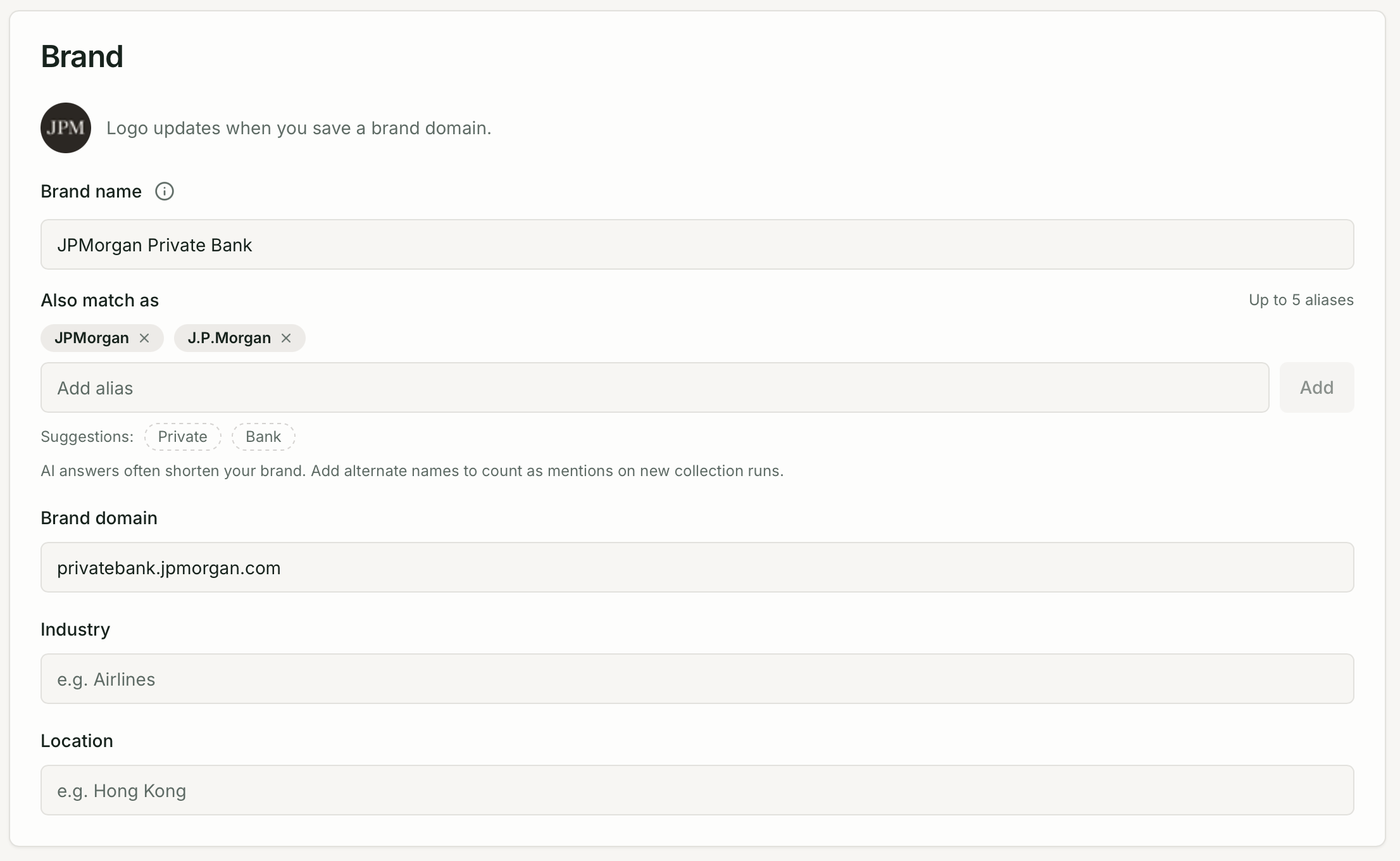
My brand is not being detected in AI responses
Section titled “My brand is not being detected in AI responses”Check your brand name spelling. Go to Brand Settings → Brand and verify the brand name matches exactly how the AI platform refers to you. Open Responses, find a recent response, and read the raw text.
The AI may not mention your brand for this prompt. Not all queries will return brand recommendations. If the AI gave a general answer without naming brands, zero appearances is expected, not an error.
Case sensitivity. Brand detection is case-insensitive, so Quratic, QURATIC, and quratic all match. Partial words do not match — Qurat would not match Quratic.
Checks are not running
Section titled “Checks are not running”Check your prompt is active. In the Prompts page, verify the prompt shows as Active (not Inactive). Inactive prompts do not run on schedule.
Check your monthly check allowance. If your account has hit its monthly limit, scheduled checks pause until the next billing cycle. View your usage at Settings → Organization → Billing.
Check for errors. If a check fails (e.g. the AI platform was temporarily unavailable), it shows as an error in the prompt’s recent results. Quratic retries failed checks automatically up to 3 times.
My citation is not being counted
Section titled “My citation is not being counted”Verify your brand domain is correct. In Brand Settings → Brand, confirm the domain is set to your primary domain without https:// (e.g. acme.com, not https://www.acme.com).
Citations require a hyperlink in the AI response. If the AI mentions your URL in text but does not create a clickable link, it is not counted as a citation. This is a limitation of how AI platforms display sources.
Not all AI models cite sources. Claude, for example, rarely includes hyperlinks by default. Check the Sources page to see citation counts broken down by model.
My dashboard shows no data
Section titled “My dashboard shows no data”Wait for the first check to complete. After creating a prompt, it runs on the next scheduled run. The dashboard will be empty until the first check has completed. Go to Prompts to see the prompt’s status.
Check the selected date range. The dashboard’s date range picker defaults to the last 30 days. If the account is new, adjust the range or wait for checks to accumulate.
I’m seeing unexpected AI responses
Section titled “I’m seeing unexpected AI responses”AI responses change over time as AI platforms update their models and training data. Occasional shifts in what the AI says are normal. If you see a consistent change in share of voice across multiple runs, that is likely a real change in how the AI perceives your brand.
I can’t invite a new team member
Section titled “I can’t invite a new team member”You may have reached your plan’s seat limit. Check your current seat usage in Settings → Organization → Members. Upgrade your plan or remove an inactive member to free up a seat. See Team & Permissions.
I need help with something not covered here
Section titled “I need help with something not covered here”Contact the support team via the chat widget in the app, or email support@quratic.com.