Responses
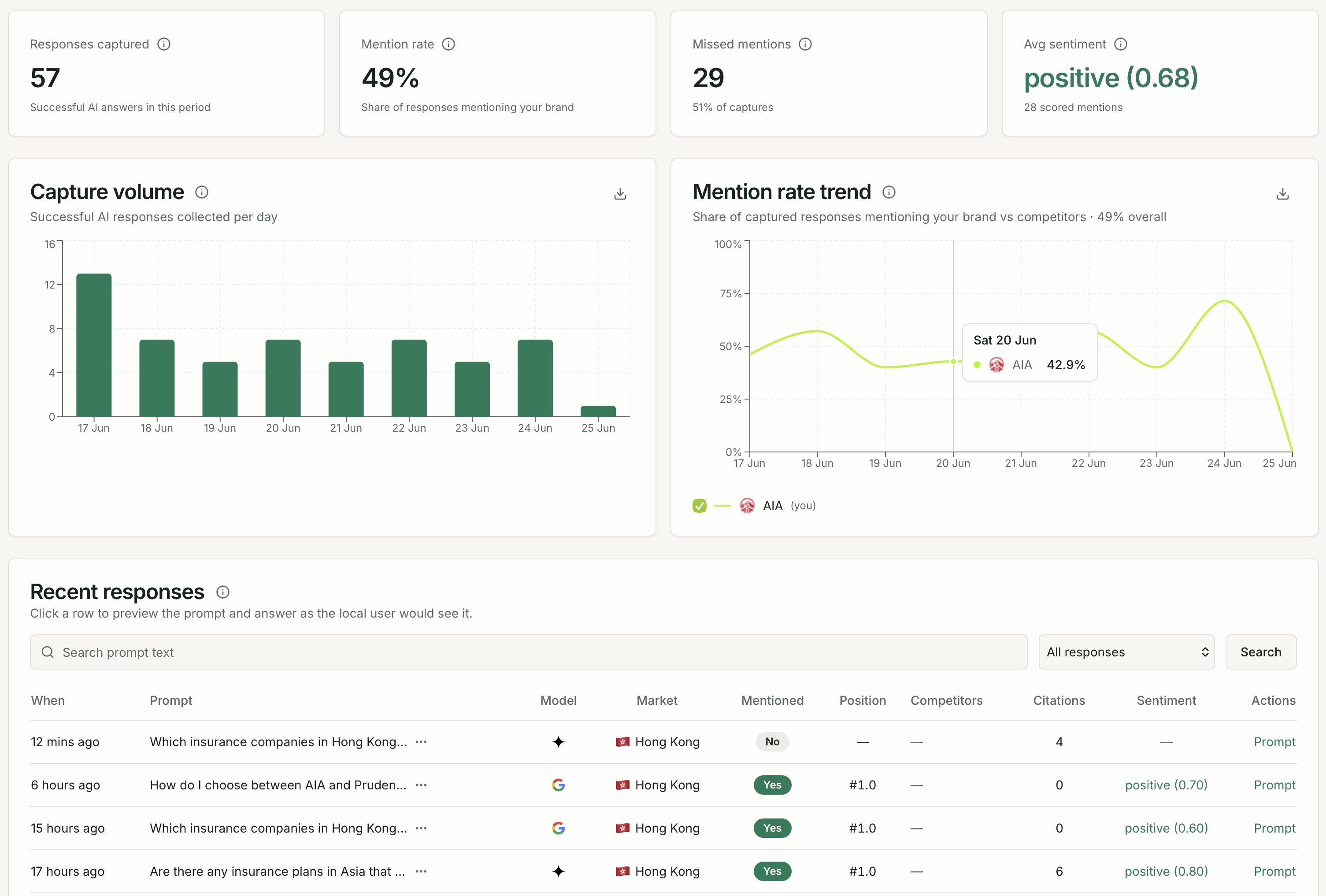
The Responses page gives you access to every AI response Quratic has captured for your project. Each row represents one check — one prompt submitted to one AI model, in one market, at one point in time.
Opening Responses
Section titled “Opening Responses”Click Responses under AI Visibility in the left sidebar.
Browsing captured responses
Section titled “Browsing captured responses”The table shows your most recent captures. Use the date range, market, model, and category filters at the top to narrow down to specific data.
Columns:
- When — date and time the check ran
- Prompt — the question submitted (truncated; click
…to expand) - Model — the AI platform that responded (shown as a logo)
- Market — where the check ran from
- Mentioned — whether your brand appeared in the response
- Sentiment — the tone of the response (positive, neutral, negative)
The table is paginated. Navigate pages with the pagination controls at the bottom.
Viewing a full response
Section titled “Viewing a full response”Click any row to open the response viewer dialog.
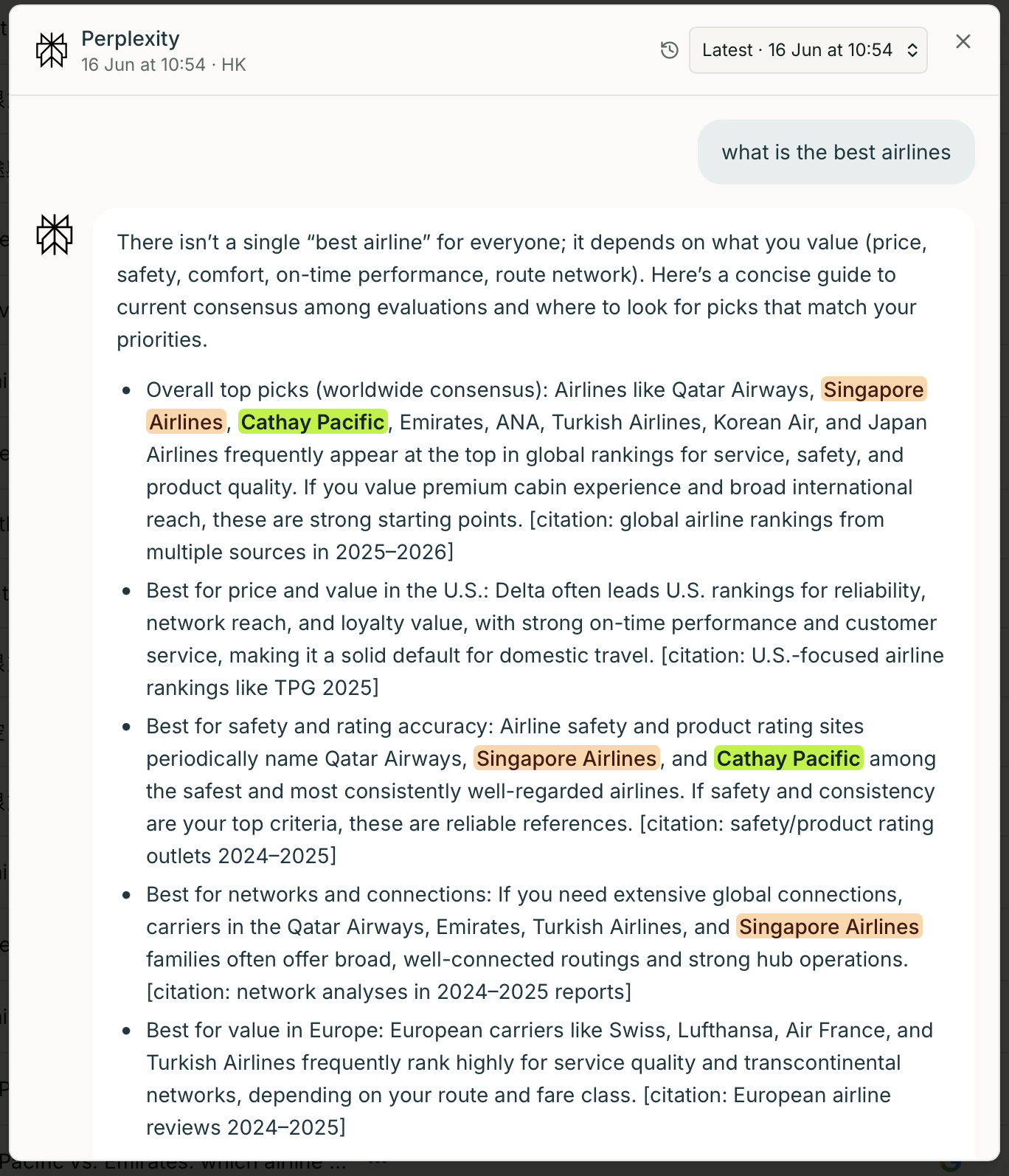
The response viewer shows:
- The full prompt text (expandable if long)
- The complete AI response, rendered in the style of the source AI platform
- Citations — any links the AI included in the response
- Product cards — if the AI showed shopping results (Google AI Overviews / AI Mode)
- SERP snapshot — the traditional Google ranking for the same query, if captured
- Related questions — follow-up questions the AI generated
- Response history — previous captures for the same prompt/model/market combination
Why review raw responses?
Section titled “Why review raw responses?”Metrics like visibility rate and share of voice give you the trend. Raw responses tell you the why:
- Verify brand detection — confirm your brand name is being matched correctly. If the AI uses an abbreviation or different spelling, update your brand name in Brand Settings → Brand.
- Understand context — your brand may appear as a top recommendation, in a passing mention, or in a negative comparison.
- Spot competitor messaging — see exactly what the AI says about competitors when they are co-mentioned with your brand.
- Identify content opportunities — if the AI consistently cites a specific type of source, that signals what content you should create or earn coverage on.