Query fan-out in AI Visibility
When an AI platform answers a prompt, it often runs internal sub-queries first — especially on search-augmented models like Perplexity and Google AI Mode. Query fan-out captures these sub-queries so you can see what the AI is actually searching for.
Opening Query fan-out
Section titled “Opening Query fan-out”Click Query fan-out under AI Visibility in the sidebar. A summary widget also appears on the Dashboard AI Visibility tab.
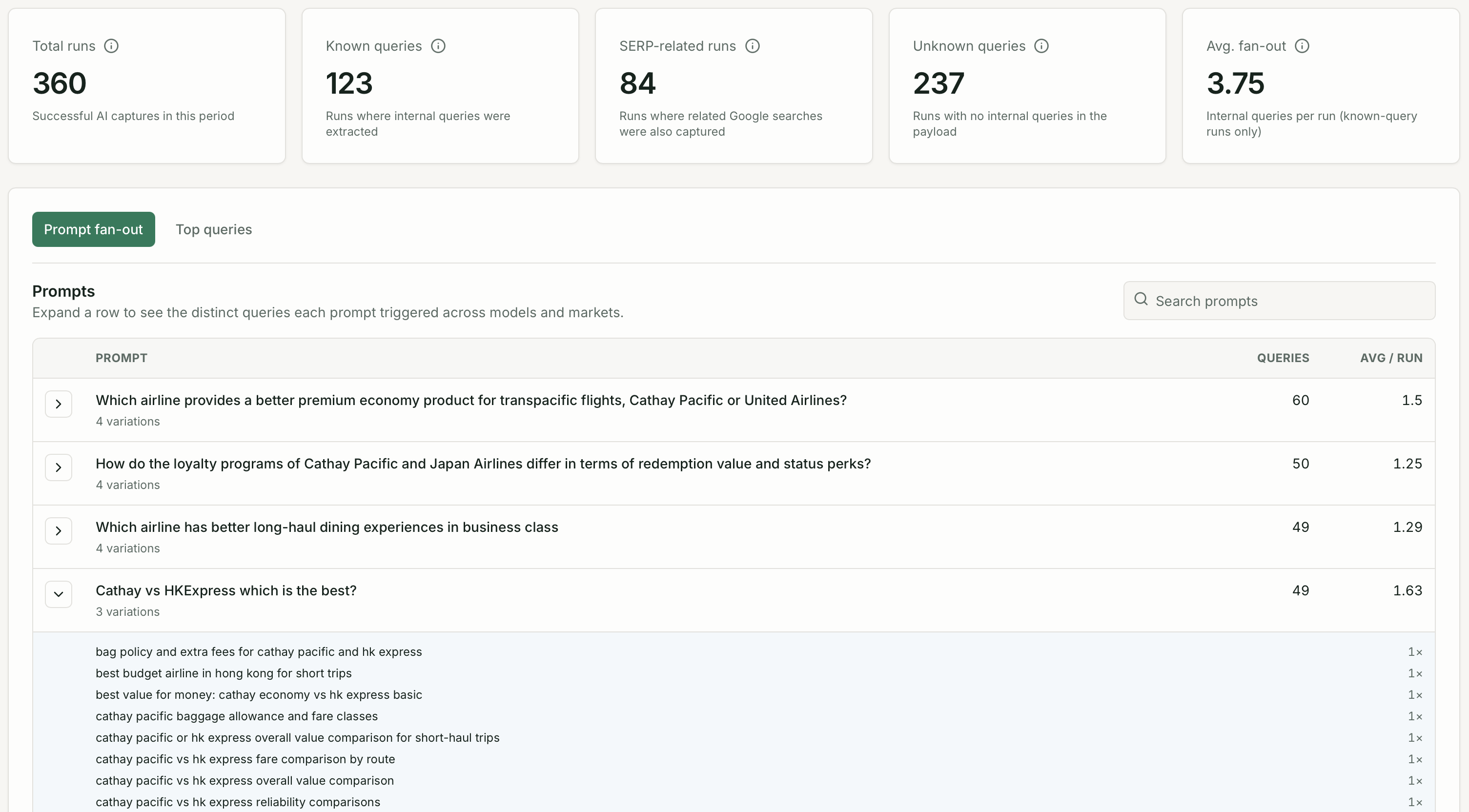
KPI cards
Section titled “KPI cards”| Metric | What it shows |
|---|---|
| Total runs | Prompt checks where fan-out data was captured |
| Known queries | Sub-queries Quratic could identify and classify |
| SERP-related runs | Checks where fan-out included traditional search results |
| Unknown queries | Sub-queries that could not be classified |
| Avg fan-out | Average number of sub-queries per check |
Prompt fan-out tab
Section titled “Prompt fan-out tab”Shows each tracked prompt with its average fan-out count. Expand a row to see the individual sub-queries generated on recent checks.
Use this to answer: “What is the AI actually searching for when users ask about my category?”
Top queries tab
Section titled “Top queries tab”Aggregates the most common sub-queries across all your prompts. Useful for:
- Discovering keyword themes you are not yet tracking on Google
- Understanding which competitor domains appear in AI retrieval
- Finding content gaps — topics the AI searches for where you have no coverage