AI Visibility Opportunities
The Opportunities page surfaces prioritised, actionable recommendations based on patterns in your citation and visibility data. You also see the top open recommendations as a widget on the Dashboard.
Opening Opportunities
Section titled “Opening Opportunities”Click Opportunities under AI Visibility in the sidebar.
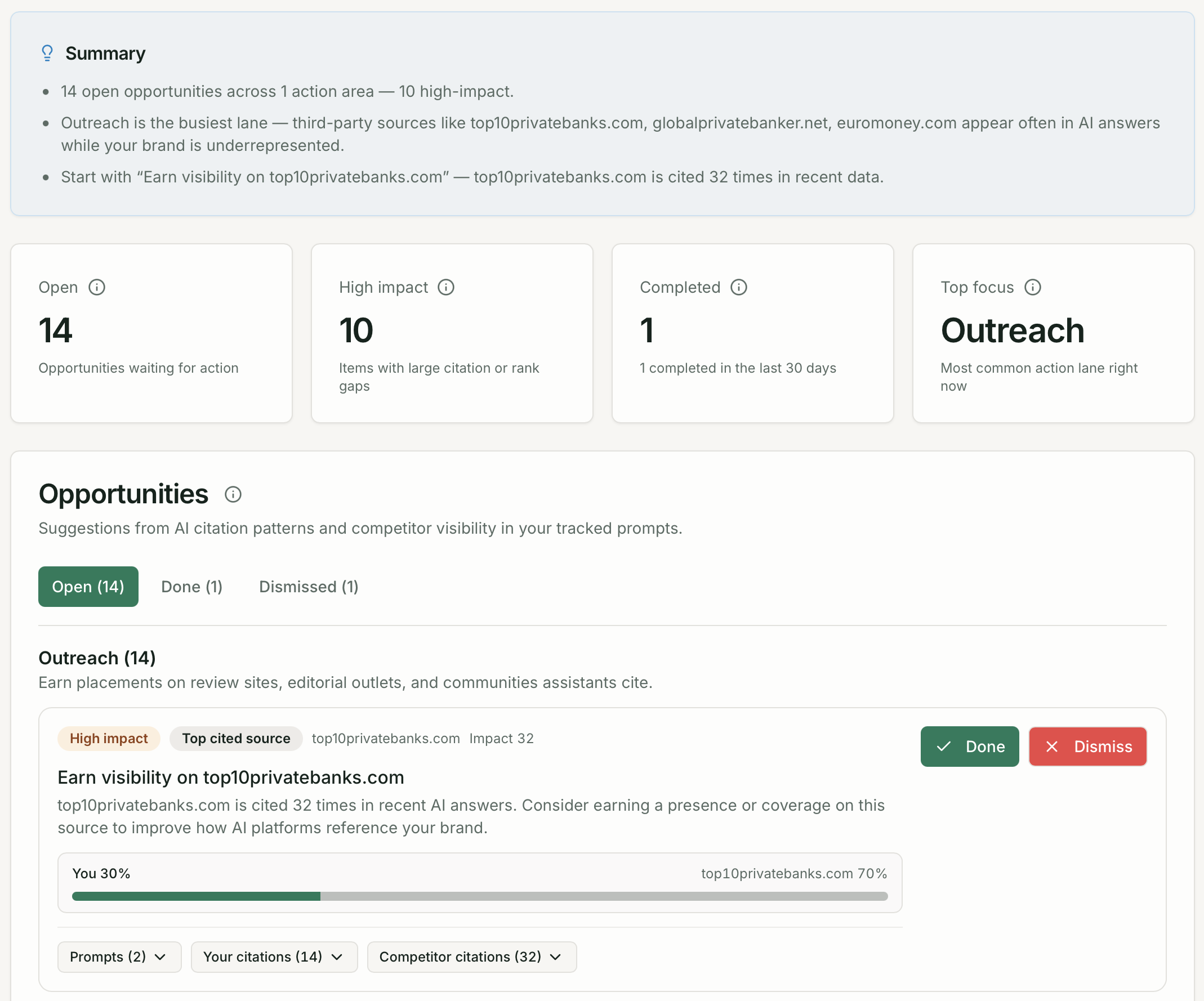
Status tabs
Section titled “Status tabs”| Tab | Description |
|---|---|
| Open | Active recommendations you have not yet acted on |
| Done | Actions you have completed |
| Dismissed | Recommendations you decided are not relevant |
KPI cards show open count, high-impact items, completed in the last 30 days, and your top focus lane.
Recommendation lanes
Section titled “Recommendation lanes”Open recommendations are grouped into lanes:
| Lane | What it means |
|---|---|
| Creation | Create new content on topics where AI cites competitors but not you |
| Existing content | Improve or update content you already have that is underperforming |
| Outreach | Earn coverage on domains AI platforms consistently cite |
Each card shows the recommendation type, evidence (domains, citation counts, affected prompts), and Done / Dismiss actions.
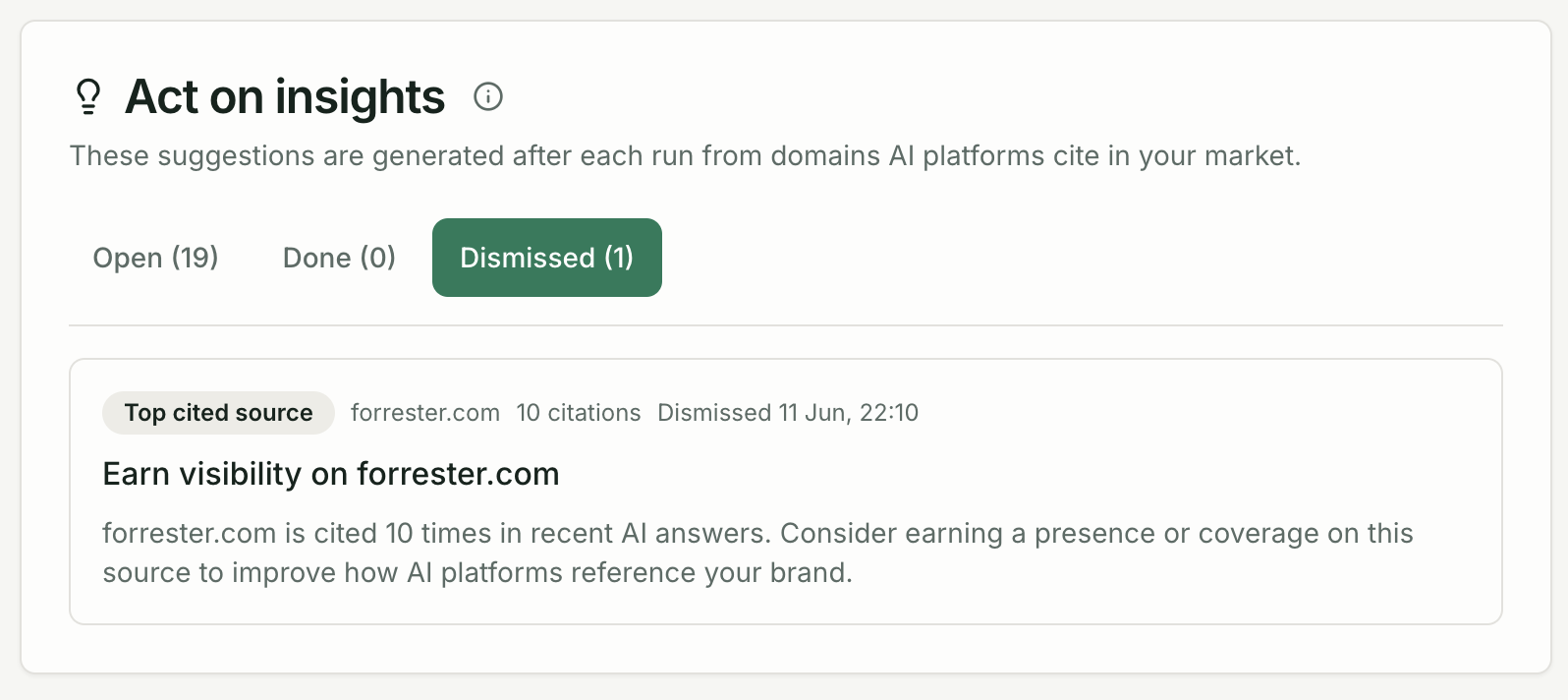
Managing recommendations
Section titled “Managing recommendations”- Done — mark when you have completed the action (e.g. published content, earned coverage)
- Dismiss — hide recommendations that are not relevant to your strategy
Most recommendations are generated from Sources and Citations data. Switch to those pages to inspect the evidence behind a recommendation.