Searches
The Searches page is a feed of every Google SERP Quratic has captured for your tracked keywords — similar to Responses for AI, but for traditional search.
Opening Searches
Section titled “Opening Searches”Click Searches under Search in the sidebar.
KPI cards
Section titled “KPI cards”| Metric | What it shows |
|---|---|
| Captures collected | Total SERP snapshots in the period |
| Page-one rate | % of captures where your brand ranks 1–10 |
| Avg position | Average organic rank |
| Dropped off page one | Captures where you fell out of top 10 |
| Not ranked | Captures where your brand did not appear |
Charts
Section titled “Charts”- Capture volume trend — how many SERPs collected over time
- Page-one trend — page-one rate over time
Rollups
Section titled “Rollups”- By device — desktop vs. mobile performance
- By market — rank performance per country
- Capture movers — keywords with largest rank changes
- SERP feature rollup — AI Overviews, featured snippets, People Also Ask, etc.
Capture feed
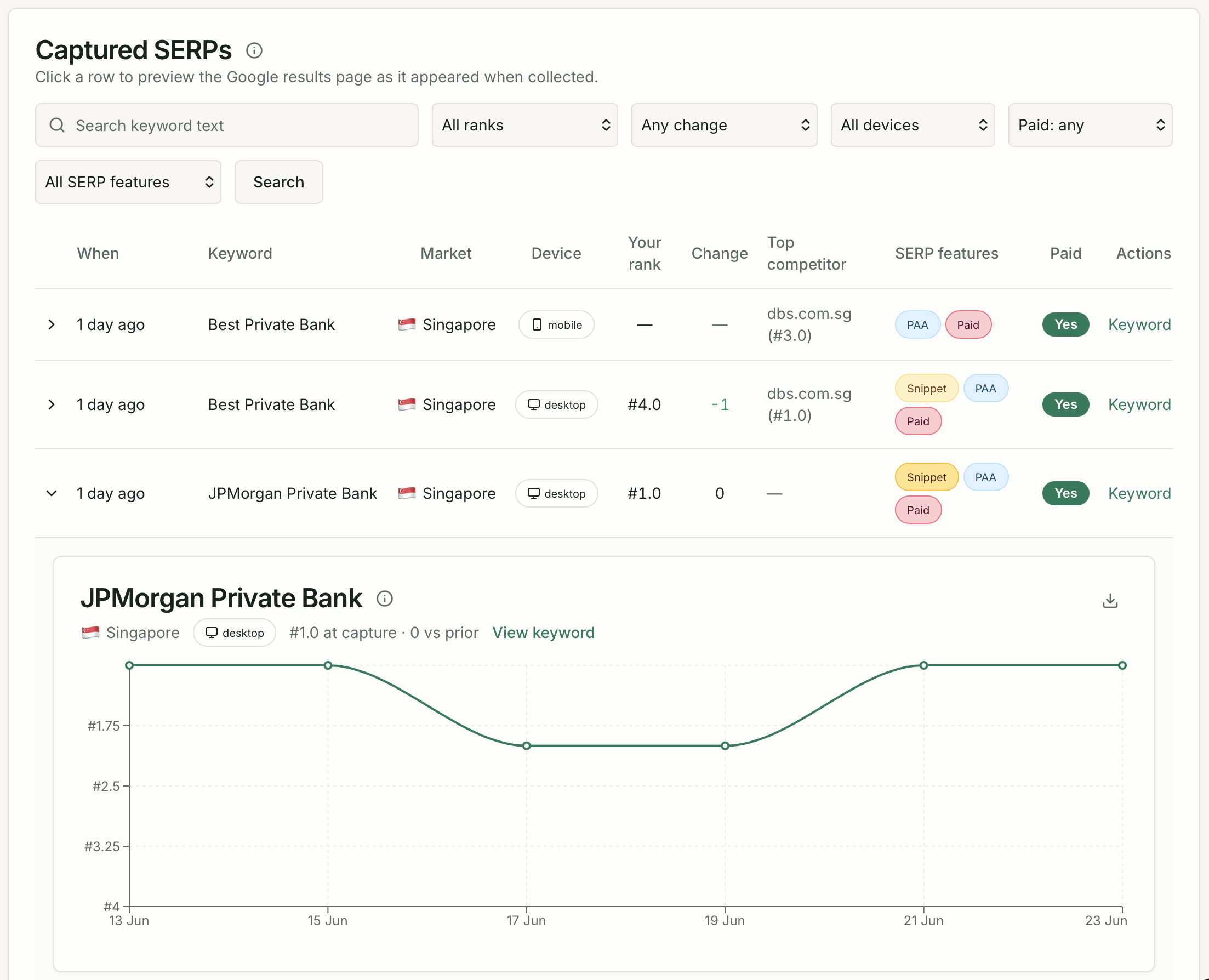
Section titled “Capture feed”A paginated table of every SERP capture:
| Column | Description |
|---|---|
| When | Collection date and time |
| Keyword | Search term |
| Market | Country |
| Device | Desktop or mobile |
| Position | Your organic rank (or “Not ranked”) |
| Change | Rank delta vs. prior capture |
| SERP features | Features present on the page |
| Paid | Whether your brand appeared in paid results |
Filters
Section titled “Filters”Filter by rank range, rank change, device, paid presence, or SERP feature type.
SERP viewer
Section titled “SERP viewer”Click any row to open the SERP viewer — a visual preview of the Google results page as it appeared at capture time, including organic results, AI Overviews, and paid ads.
Expand any row inline to see a rank trend sparkline without opening the full viewer.