Keywords
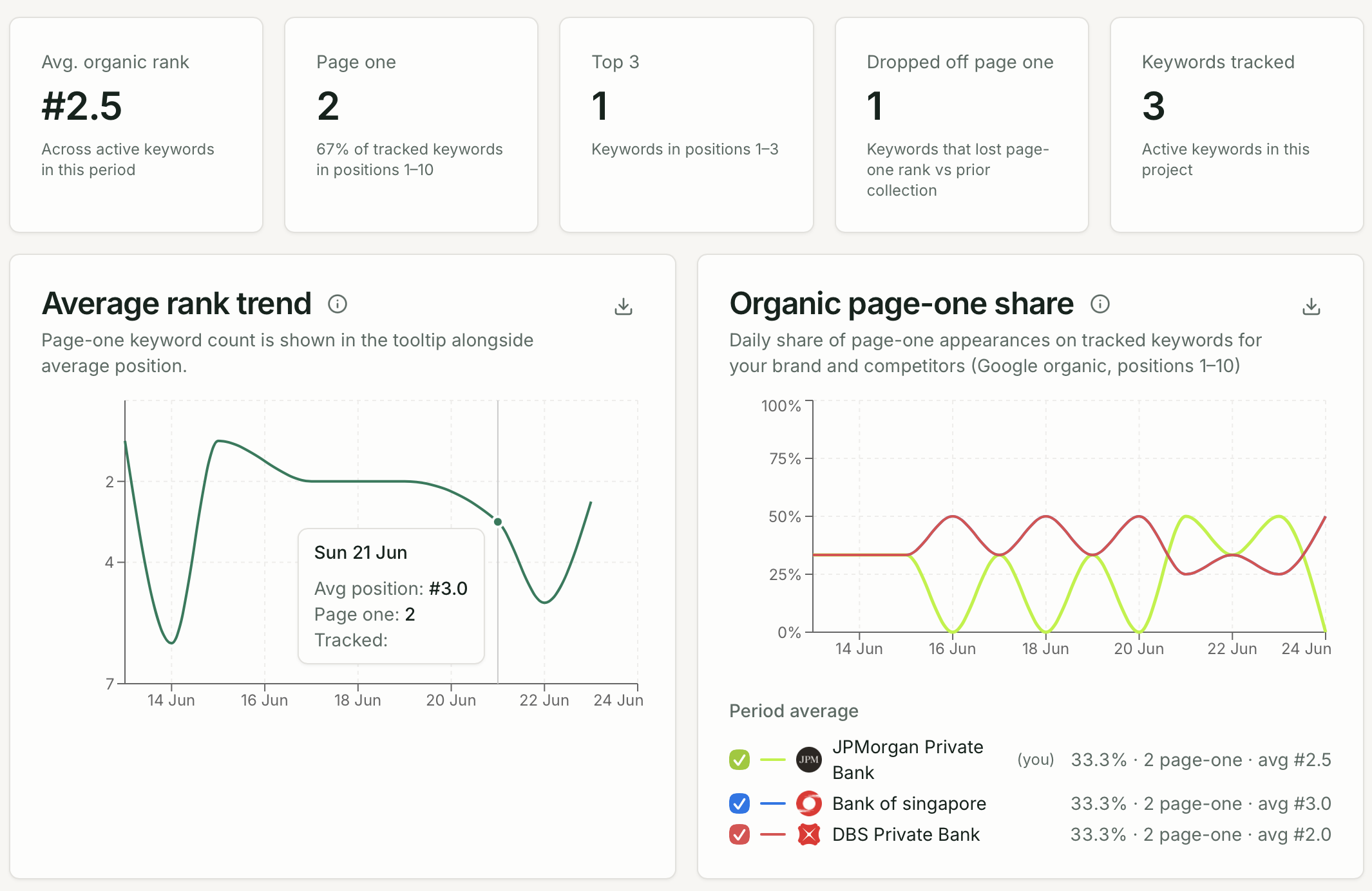
The Keywords page tracks your brand’s Google organic rankings for specific search terms — complementing AI visibility with traditional search performance.
Opening Keywords
Section titled “Opening Keywords”Click Keywords under Search in the sidebar.
| Tab | Description |
|---|---|
| Active | Keywords currently being tracked on a schedule |
| Suggested | AI-generated keyword ideas you can accept or reject |
| Inactive | Keywords you have paused |
Portfolio KPIs (Active tab)
Section titled “Portfolio KPIs (Active tab)”| Metric | What it shows |
|---|---|
| Avg. organic rank | Average Google position across active keywords |
| Page one | Keywords ranking in positions 1–10 |
| Top 3 | Keywords in positions 1–3 |
| Dropped off page one | Keywords that fell out of the top 10 |
| Keywords tracked | Total active keyword count |
Charts
Section titled “Charts”- Average rank trend — organic position over time
- Organic page-one share — your brand vs. competitors on page one
- Rank movers — keywords with the largest rank gains or drops
- Recent searches — latest SERP captures
- SERP feature ownership — which features (AI Overviews, featured snippets, etc.) you hold
Device rollup
Section titled “Device rollup”Compare desktop vs. mobile page-one rates side by side. Rankings often differ by device.
Keyword table
Section titled “Keyword table”| Column | Description |
|---|---|
| Keyword | Search term text |
| Market | Country where the search runs |
| Device | Desktop, mobile, or both |
| Position | Current organic rank |
| Change | Rank change vs. prior collection |
| SERP features | AI Overviews, featured snippet, etc. |
| Top competitor | Leading organic competitor for this keyword |
Click any keyword to open its detail page with rank trend chart, latest SERP snapshot, and rank history.
Adding keywords
Section titled “Adding keywords”- Click Add keyword
- Enter the search term in the language users in that market would use
- Select market and device (Desktop, Mobile, or Both)
- Save