Introduction for Agencies
Quratic is an AI query analytics platform that lets marketing agencies track how client brands appear when real users ask AI platforms questions in their markets. This section of the documentation is written specifically for agencies managing AI visibility tracking across multiple clients.
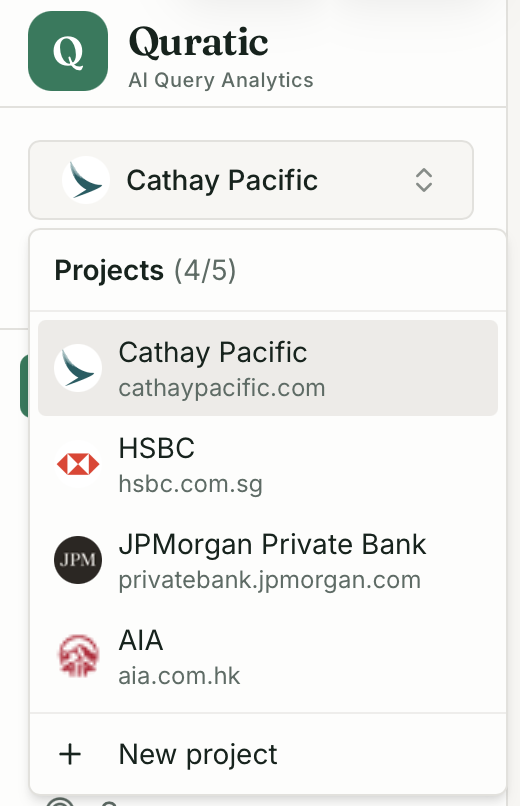
How agencies use Quratic
Section titled “How agencies use Quratic”In Quratic, each project tracks one brand. Your organization can hold multiple projects — one per client. You and your team switch between client projects using the project switcher in the sidebar, and all data is fully separated per client.
This means you can:
- Track AI visibility for each client brand independently
- Assign team members to specific clients with granular permissions
- Export separate CSV and PDF reports per client
- Benchmark each client against their own set of competitors
The organization and projects model
Section titled “The organization and projects model”Your agency organization ├── Client A project (brand tracking, prompts, competitors, reports) ├── Client B project ├── Client C project └── ...up to plan limitEach project is fully self-contained. Adding a competitor or prompt to Client A’s project has no effect on Client B’s data.
Who needs access to what
Section titled “Who needs access to what”As an agency, you typically have:
- Account managers who need to read dashboards and download reports for their assigned clients
- Strategists who create and manage prompts for specific clients
- An owner (you) who manages billing, invites team members, and creates new client projects
Quratic’s per-project permissions let you assign each team member exactly the access they need — and nothing more.
What AI platforms do you track?
Section titled “What AI platforms do you track?”Quratic tracks mentions and citations across ChatGPT, Perplexity, Google AI Mode, Google AI Overviews, Gemini, Microsoft Copilot, and (on Agency plans) Claude. All checks run from real residential IP addresses in the client’s target country.
Next step
Section titled “Next step”→ Agency Quick Start — get your agency workspace set up and your first client project running.