AI Visibility Markets
The Markets page under AI Visibility shows how your brand performs in each country you track — with visibility rates, position trends, and coverage gaps.
Opening Markets
Section titled “Opening Markets”Click Markets under AI Visibility in the sidebar.
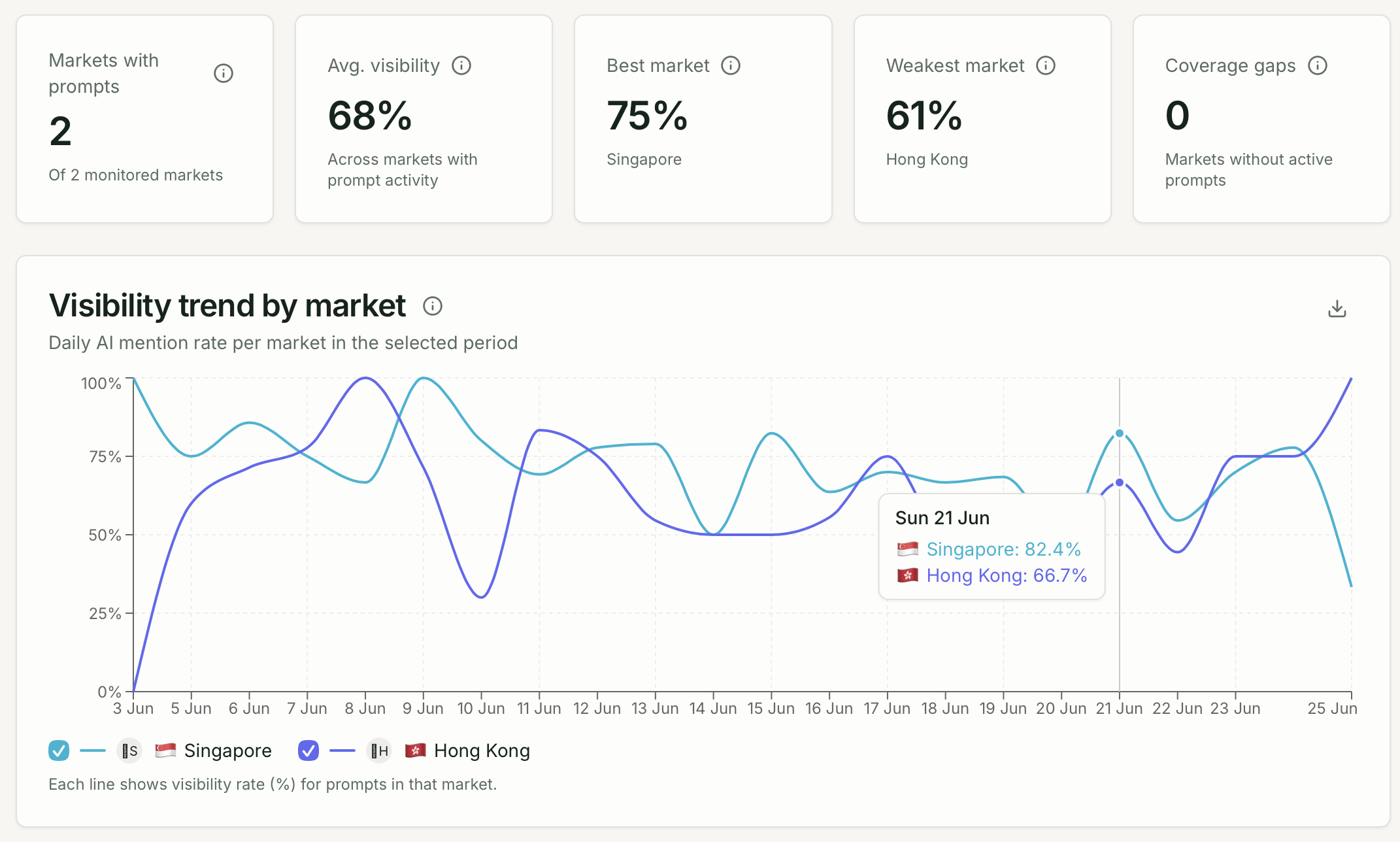
KPI cards
Section titled “KPI cards”| Metric | What it shows |
|---|---|
| Markets with prompts | Markets where you have active prompts |
| Avg visibility | Average mention rate across markets |
| Best market | Market with highest visibility |
| Coverage gaps | Markets with prompts but low or zero visibility |
Charts and tables
Section titled “Charts and tables”- Market bar chart — visibility rate per country
- Visibility trend by market — line chart comparing markets over time
- Market movers — markets with the largest visibility gains or drops
- Coverage gaps card — markets needing attention
Market table
Section titled “Market table”| Column | Description |
|---|---|
| Market | Country name and flag |
| Prompts | Active prompt count |
| Responses | Total captures in period |
| AI visibility | Mention rate |
| Avg position | Average mention position |
| Trend | Visibility change vs. prior period |
Setting up multi-market tracking
Section titled “Setting up multi-market tracking”- Enable active markets — Brand Settings → Markets (up to your plan limit)
- Write your base prompt for your primary market
- Copy to other markets — prompt action menu → Copy to market
- Translate if appropriate — update copied prompts for local language markets
- Compare results on this page