The Dashboard
The Dashboard (home page at /) is your command centre. It combines AI visibility and Google search metrics in one place, with three tabs that mirror how your team works.
Sidebar map
Section titled “Sidebar map”The left sidebar is organised into Views, Tools, and Brand Settings:
| Section | Pages |
|---|---|
| Dashboard | Home summary with three tabs |
| AI Visibility | Prompts, Responses, Query fan-out, AI Models, Sources, Citations, Competitors, Markets, Opportunities |
| Search | Keywords, Searches, Competitors, Markets, Opportunities |
| Tools | AI Crawlability audit |
| Brand Settings | Brand, Prompts, Competitors, Keywords, Markets, Models, General |
| Organization (owners) | Organization, Billing |
Each view page has its own dedicated guide in this docs section.
Global filters
Section titled “Global filters”Most dashboard pages share filters at the top:
- Date range — 7 days, 30 days, 90 days, 6 months, YTD, 12 months, all time, or custom
- Markets — filter to one or more countries
- Models — filter to one or more AI platforms (AI Visibility views only)
- Categories — filter by prompt category (AI Visibility views only)
Filters apply to all charts and tables on the current page.
Overview tab
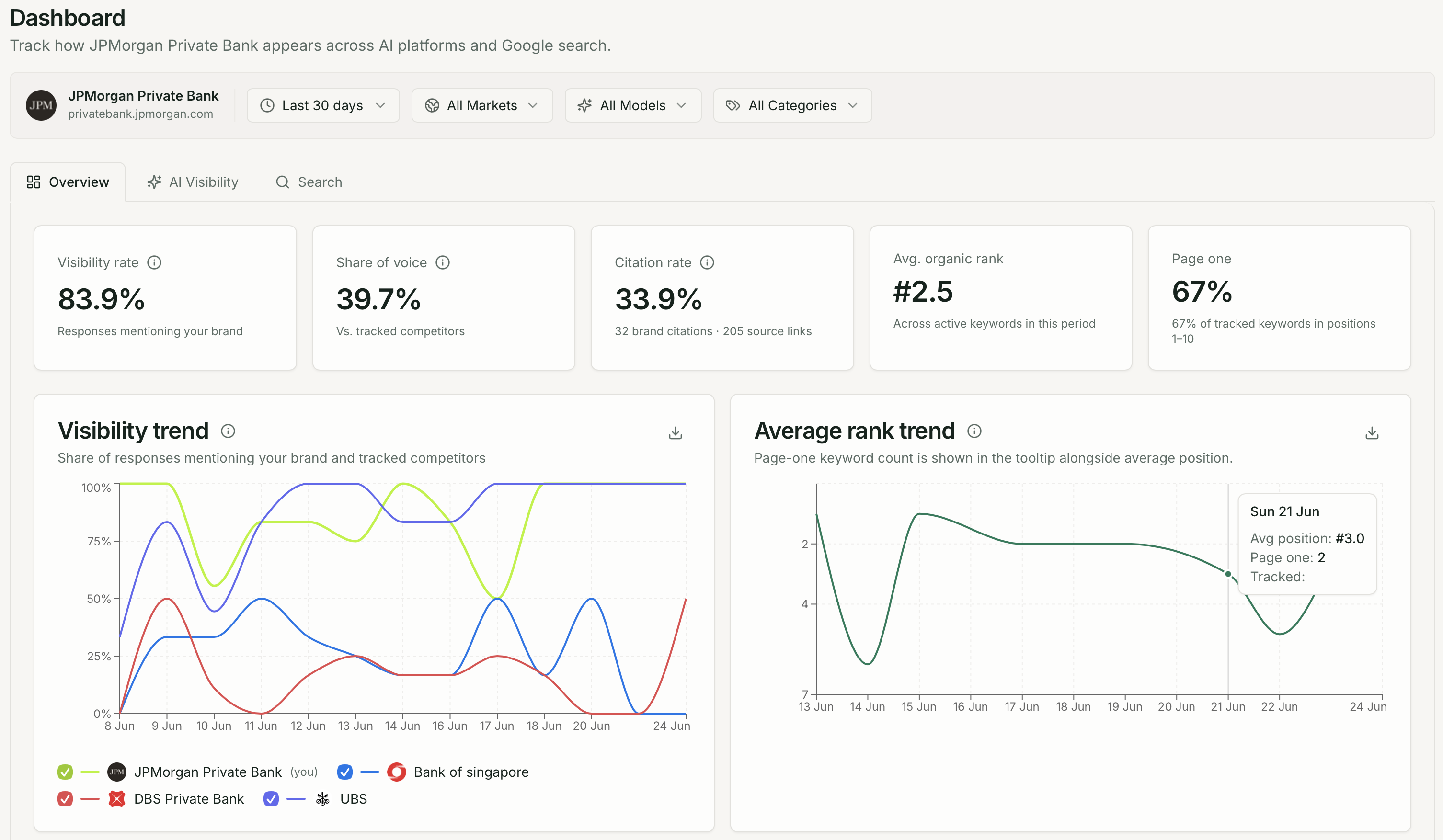
Section titled “Overview tab”The default Overview tab shows a combined snapshot of AI visibility and Google search performance.
| Metric | What it shows |
|---|---|
| Visibility rate | % of AI responses mentioning your brand |
| Share of voice | Your mention rate vs. tracked competitors |
| Citation rate | % of responses linking to your domain |
| Avg. organic rank | Average Google position across active keywords |
| Page one | % of keywords ranking in positions 1–10 |
Below the KPI row:
- Visibility trend — daily mention rate for your brand and competitors
- Average rank trend — Google organic rank over time
- Opportunities widget — top open recommendations
AI Visibility tab
Section titled “AI Visibility tab”Switch to AI Visibility for the full AI analytics stack:
- Five KPI cards: visibility rate, citation rate, avg. position, sentiment, share of voice
- Visibility trend and Average position trend charts
- Top sources, Brand citations, and Google AI Overviews widgets
- Sentiment gauge and Share of voice chart
- Markets and AI Models breakdowns
- Query fan-out and Citation gaps cards
- Opportunities widget
Use this tab when you want the complete AI picture without leaving the Dashboard.
Search tab
Section titled “Search tab”Switch to Search for Google organic rank tracking:
- Keyword rank KPIs: avg. organic rank, page one, top 3, dropped off page one
- Average rank trend and Organic page-one share charts
- Rank movers, Recent searches, and SERP feature ownership
- Opportunities widget (Search lanes: Recover ranks, Win page one, Beat competitors)
Understanding data freshness
Section titled “Understanding data freshness”Checks run on your plan’s cadence (weekly, every 48 hours, or daily). The dashboard aggregates all checks within the selected date range — not just the latest run.